The platform
One platform, in place of a stack of subscriptions.
Replace the per-seat software that almost fits. Build the next tool you need into the platform instead of adding another subscription. Keep the tools you like: your ERP stays the system of record, and anything you keep syncs both ways.
What it replaces
What your team works in
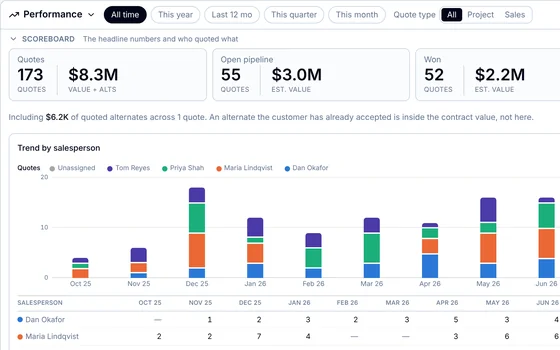 Quoting
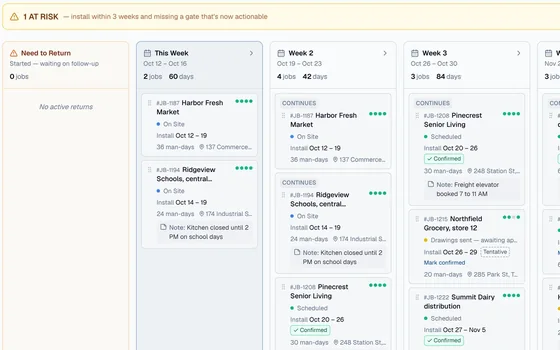 Scheduling
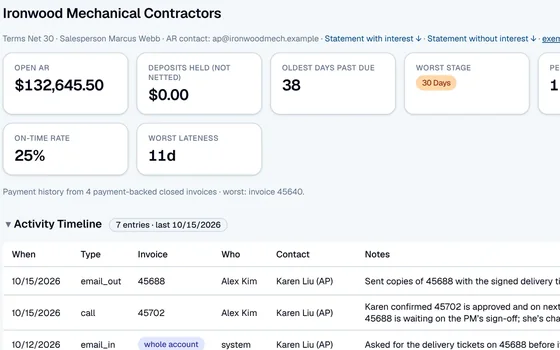 Collections
What you keep, synced both ways
- Your ERP
- Accounting
- CRM
- Files
- Payroll
Start with one workflow. Add as you go.
Begin with the one that costs you the most. The next tool starts from the same data, so a won quote becomes a job, a job becomes a purchase order, and a signed-off job becomes an invoice, with nothing retyped.
- QuotingStart here
- SchedulingSame customers, same jobs
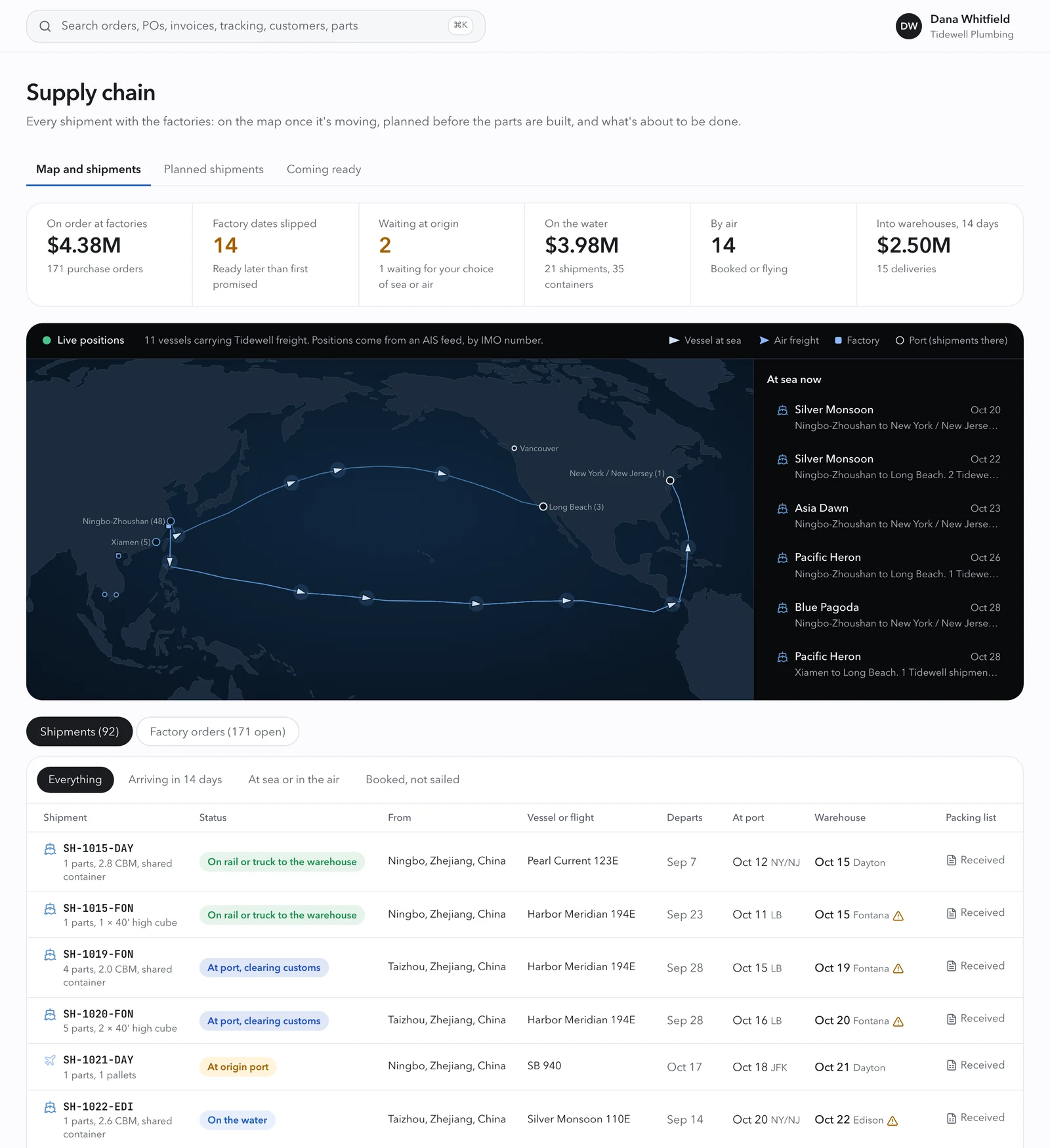 PurchasingSame jobs, same items
- CollectionsNothing retyped
- +Your next toolFrom a blank canvas
Replace one, or none
Sometimes we replace a subscription. More often, the next tool you need gets built into the platform instead of bought. Keep what works.
Built for how you work
Each screen follows a step your team agreed on. Nobody changes how they work to fit a product built for every company.
It changes when you do
When a process changes, we change the tool. If you move to a new ERP, we swap the connector and keep the screens.
Connections
Connect to any system you run. Or replace it.
Your ERP, your accounting, your CRM, your email and your files: the platform connects to each one you keep, and data moves both ways. Where a subscription costs more than it gives back, we build its job into the platform and you stop paying for it.
- QuickBooks
- NetSuite
 Outlook
- Xero

 Teams
- Sage Intacct
- Business Central
 Excel
- Epicor Kinetic
 SharePoint



- Gmail
- Stripe
- Google Sheets
- HubSpot

- Shopify
- Google Drive
- ShipStation
- UPS
 Slack
- Square
- Dropbox

- Box

- Twilio
Not on the list? Ask. We build each connection as part of the engagement.
AI agents
Agents go where they earn their place, and you set how far.
Every tool works without AI. Where a step repeats, an agent can prepare it or do it. You choose how much, you see what the agents did, and you decide who can see what.
We run it. Your data stays yours.
Nothing to install, host or maintain. Each tool gets an independent security review.
-
Your own database
An isolated environment for every client, encrypted in transit and at rest.
-
U.S. hosting, daily backups
Hosted in Virginia on infrastructure audited to SOC 2 Type II.
-
Your systems stay in charge
Official connections, never your password, with tokens encrypted under a key unique to you.
-
Access you control
Your roles decide who sees and changes what. An audit log records who changed what, and when.
-
AI that keeps your data yours
Agents use business-grade AI services and see only the fields a task needs. Your data is never used to train AI models, by us or by any AI provider.
-
Yours to take with you
If you leave, we export your data, then delete our copy within 30 days.
The details are in our privacy policy.
Which workflow costs you the most?
Tell us about it. We'll listen, then map it with you.
Or write to hello@staynative.ai