The company brain
A map of how your company runs.
We call it the company brain. It's the first thing we make, before any tool: who does what, what you run on, how each job works, and where the hours go. It's yours, and it stays with you.
Your tech stack
Every system you run on, today and in the plan.
15 systems and spreadsheets. Red lines mark what someone retypes by hand, and some systems connect to nothing.9 replaced. One platform, synced both ways with the ERP.
The ERPsystem of record
Your platformQuoting · Scheduling · Supply chain · Collectionssynced both ways with the ERP
- Quotes.xlsxretyped into the ERPreplaced
- CRMcopied into Quotes.xlsxreplaced
- Open POs v7 FINAL.xlsxretyped both waysreplaced
- AR aging.xlsxprinted from the ERPreplaced
- Job board.xlsxretyped into the ERPreplaced
- Crew calendar appcopied to the job boardreplaced
- Shop whiteboardcopied from the job boardreplaced
- Group textcopied to the whiteboardreplaced
- Stock count.xlsxtyped into the ERPreplaced
- Emailquotes retyped from itkept, connected
- Shared drivefiles carried to the CNCkept, connected
- CNC softwarefed by handkept, connected
- Bank feedautomatickept, connected
- Payroll serviceconnects to nothingkept, connected
Replaced in the planQuotes.xlsx, CRM, Open POs v7 FINAL.xlsx, AR aging.xlsx, Job board.xlsx, Crew calendar app, Shop whiteboard, Group text, Stock count.xlsx
Kept, and connectedThe ERP, Bank feed, Payroll service, Shared drive, CNC software, Email
What you get
Your company, written down and easy to look through.
How work moves between your departments and the outside parties you deal with, and which hand-offs hurt.
- Customers ask for a quote
- Sales3 people4 with pain
- won quote, retyped
- Drafting3 people2 with pain
- approved drawings, by hand
- Operations5 people7 with pain
- job ticket
- Shop11 people1 with pain
- finished job
- Install13 people3 with pain
- signed-off job, waits to be invoiced
- Finance2 people4 with pain
- Payments go to the bank
Also on the map: architects and designers, material suppliers, the countertop fabricator, subcontract crews and the freight forwarder.
Then every person, every role, and what would change.
Who reports to whom, what each role owns and decides, and what moves if you change it. Pick a view, or open it full size.
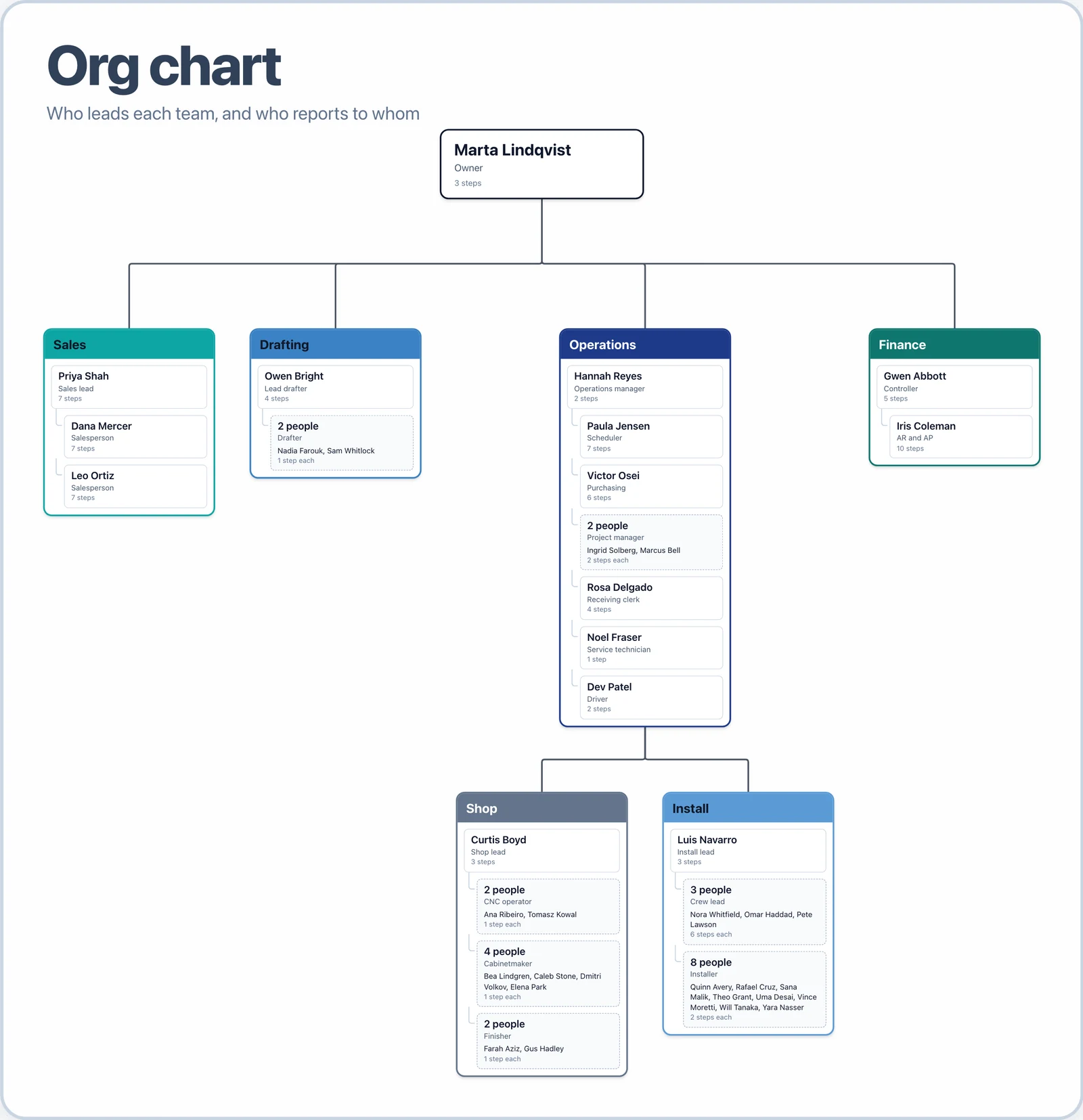
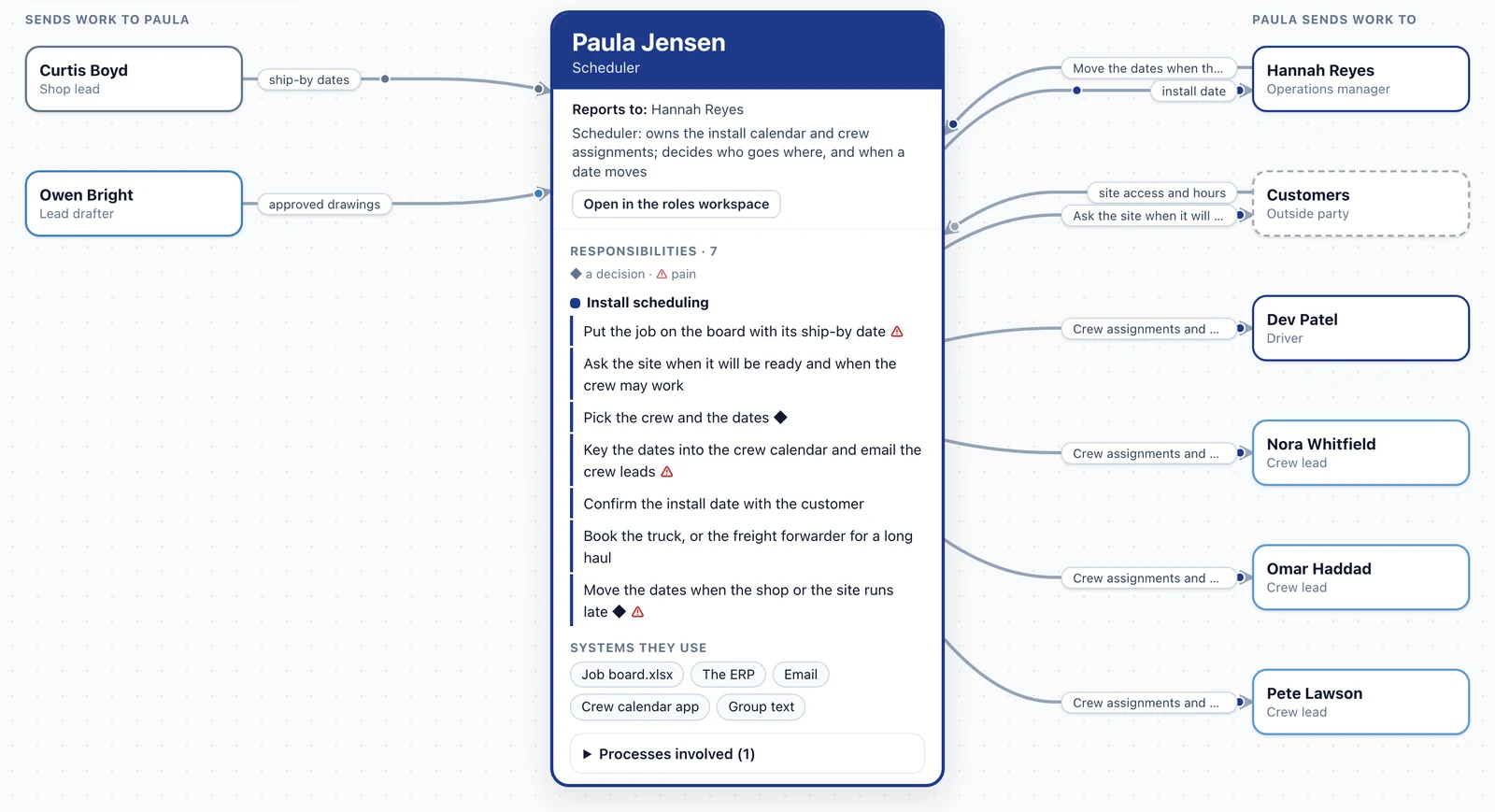
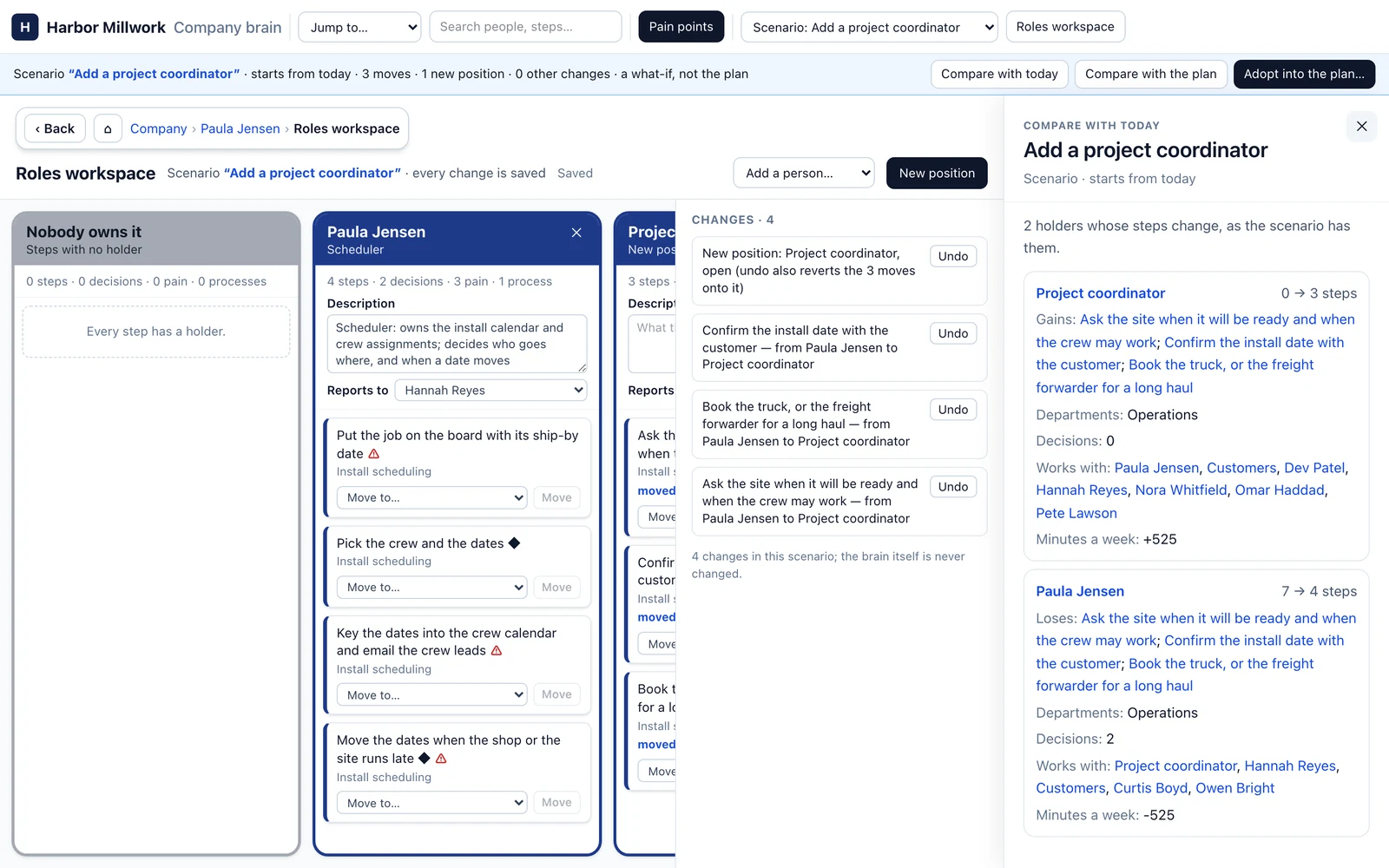
Processes
Each process, step by step, today and in the plan.
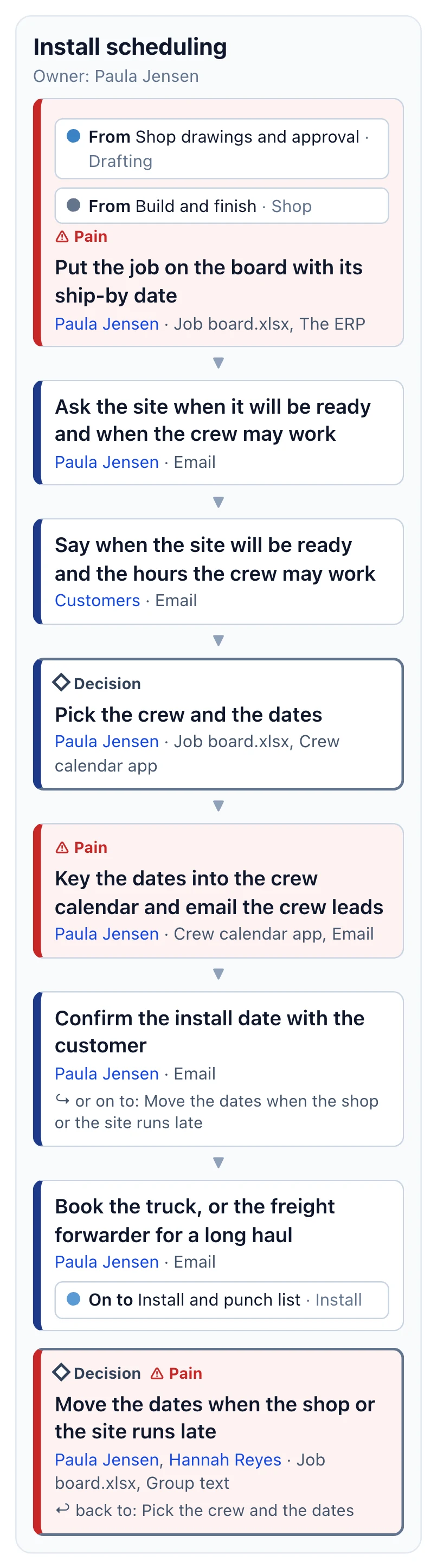
Each job crosses several departments. Open any process to see who does each step, in which system, and where it hurts. The plan shows what changes.

Today
The plan
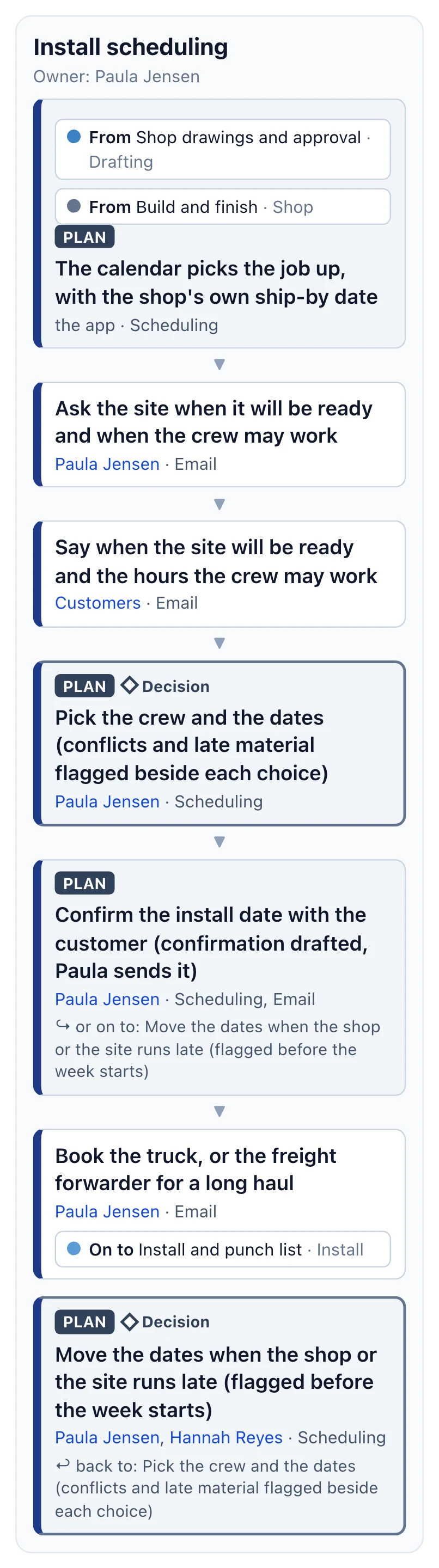
The plan is drawn on the same map.
Steps that change carry a Plan tag, so you can read what a tool or an agent would take over before anything is built.
Decisions stay marked as decisions. In this sample the scheduler still picks the crew and the dates.
What it's for
We build the tools from it
Each screen follows a step on the map, so the tool matches how the work runs. The second tool starts from the same map as the first.Agents use it for context
An agent drafting a reminder letter needs your terms, the customer's history, and who approves the letter. It gets them from the map. Agents learn your team's workflows, from steps and rules to corrections, so they get better at the job for you.It changes when you do
When a process changes, we change the map first, then the tool that follows it.It's your information and your documentation, and it stays with you. Your data is never used to train AI models, by us or by any AI provider.
Which workflow costs you the most?
Tell us about it. We'll listen, then map it with you.
Or write to hello@staynative.ai