Our process
We learn the workflow first, then build the tool.
We start with the job: how it gets done today, where it stalls, and how your team wants it to run. The tool comes after that, and AI agents go where they earn their place.
The five steps
- 1
Pick one workflow
The one that costs you the most.
- 2
Show us the real job
Sessions with the people who do it.
- 3
Agree how it should run
You get a clickable mockup.
- 4
Build it in rounds
Your team tries it on real work.
- 5
Add agents where they earn it
You decide how much they do. See AI agents
Steps 1 to 3 take real time from your people. That time is why the tool fits.
The company brain
A map of how your company runs.
What we learn in step 2 becomes that map: the departments, the documents they pass along, and the hand-offs between them. We call it the company brain. We build the tools from it, and agents use it for context. It's your information and your documentation, and it stays with you.
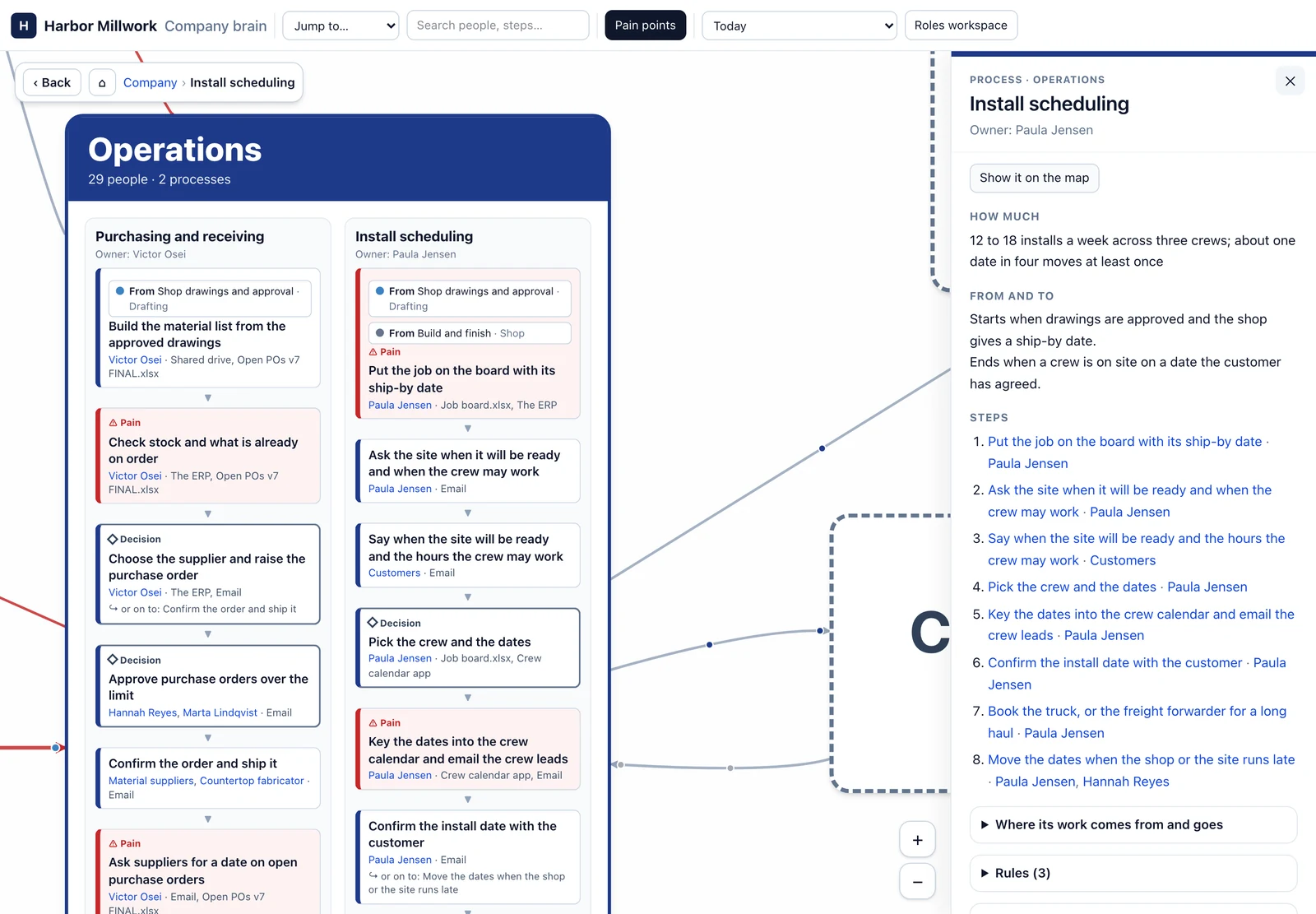
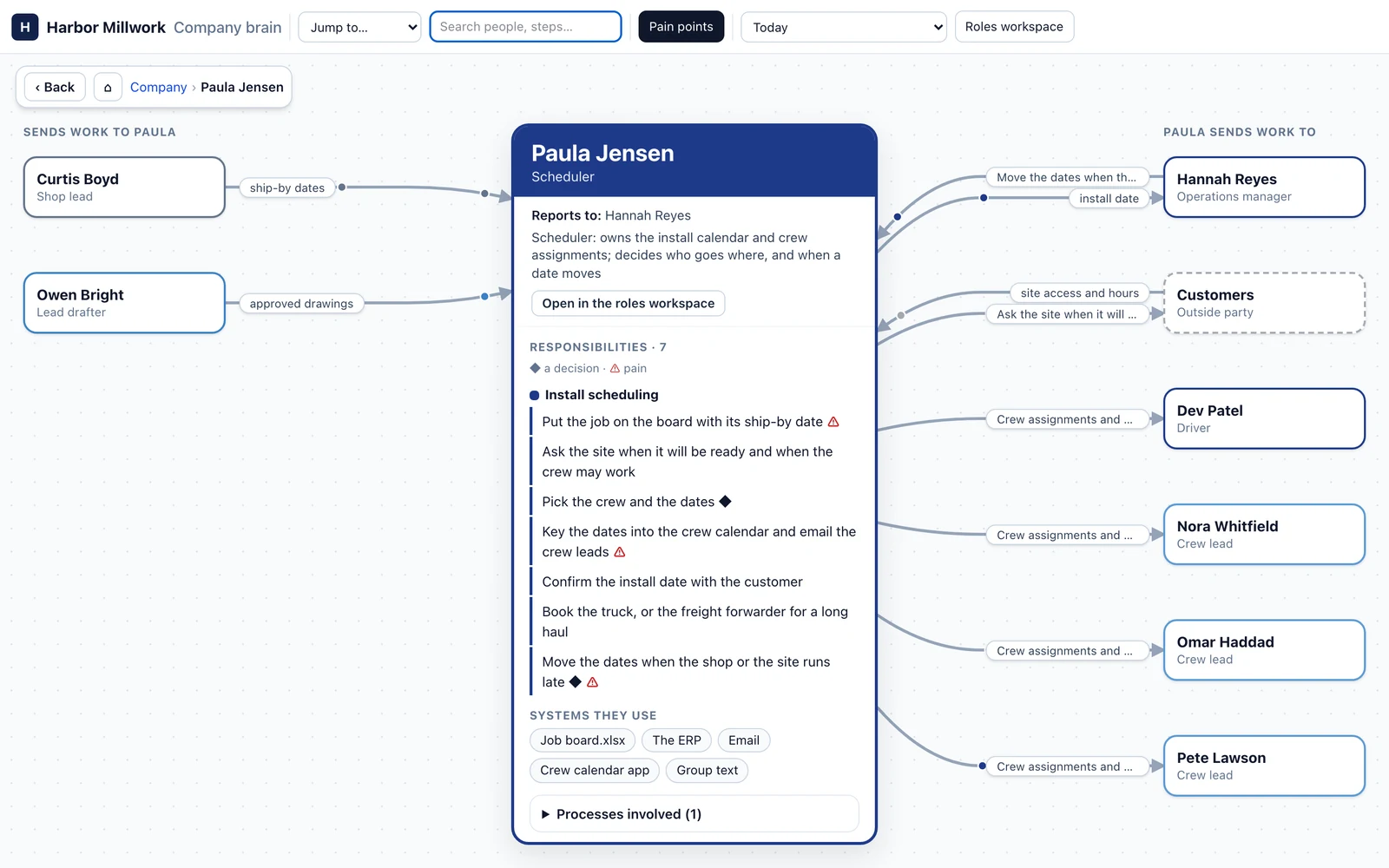
Sample company · pick a department
- DOES
- Draws the job, prices it, sends the contract, and follows up.
- DOCUMENTS
- Quote, Contract proposal, Follow-up list
- HANDS OFF
- A won quote becomes a job for Purchasing and the shop, with nothing retyped.
- USED TO STALL
- Quotes sat in a manila folder in the salesperson's office.
- DOES
- Orders the materials for each job and tracks what has arrived.
- DOCUMENTS
- Material list, Purchase order, Receiving log
- HANDS OFF
- Received materials release the job to the shop.
- USED TO STALL
- Open POs lived in a spreadsheet that one person updated.
- DOES
- Builds the job to the approved drawings.
- DOCUMENTS
- Approved drawings, Job ticket, Shop schedule
- HANDS OFF
- A finished job goes onto the install schedule.
- USED TO STALL
- Someone retyped the job board by hand from the ERP.
- DOES
- Books the crews and trucks, and installs the job.
- DOCUMENTS
- Install schedule, Crew assignments, Sign-off sheet
- HANDS OFF
- A signed-off job goes to Finance to invoice.
- USED TO STALL
- Sales had to walk over and ask before giving a customer a date.
- DOES
- Invoices the job, collects, and closes the books.
- DOCUMENTS
- Invoice, Statement, Reminder letters
- HANDS OFF
- Payments post to the ERP, and Sales can see who has paid.
- USED TO STALL
- An overdue invoice got attention when someone noticed it.
THE ERP · EVERY DEPARTMENT READS AND WRITES THE SAME RECORDS
After it goes live
An automation team, without the hires.
You bring us on to build the platform and to run it. The monthly fee covers the people as well as the software: someone who knows your workflows keeps it working, changes it when your process changes, and builds the next tool. You don't hire anyone to look after it.
To run software like this yourself
- Someone to change it when the process changesa hire
- Someone to add users and fix what breaksa hire
- Someone to keep the connections workinga consultant
- Someone to keep the agents accuratea hire
With StayNative
- We change the tool when the process changesin the fee
- We add users, host it, back it up and watch itin the fee
- We keep every connection workingin the fee
- We keep the agents accuratein the fee
Live when your team says it fits
The people who use it make that call. From then on it's a service you keep.It changes when the work does
When a process changes, we update the map, then the tool that follows it.Start small. Add as you go.
The next workflow starts from the same map and the same data as the first. See the platformWhich workflow costs you the most?
Tell us about it. We'll listen, then map it with you.
Or write to hello@staynative.ai